01
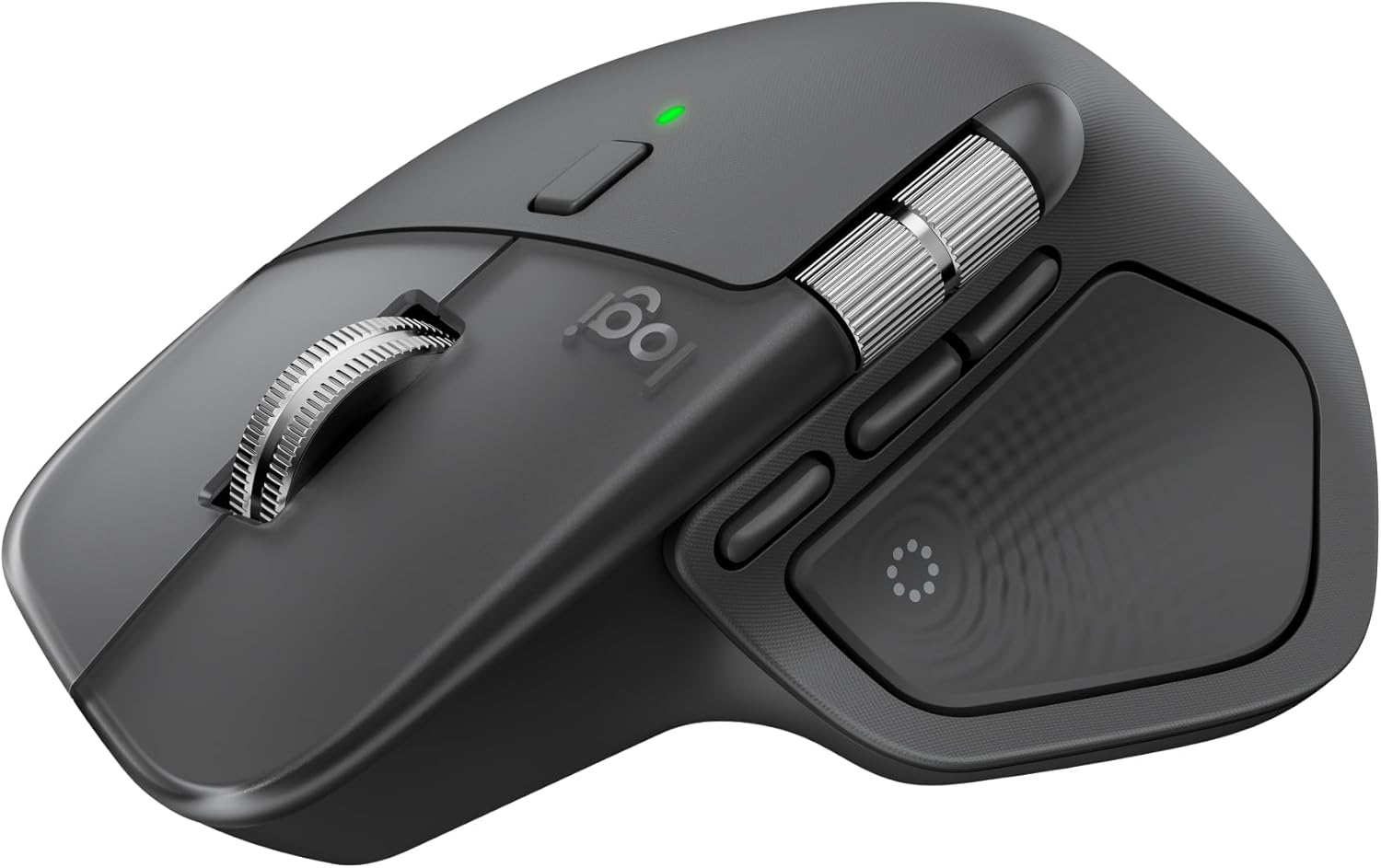
Precision you can feel with the Haptic Sense Panel; customizable (1) haptic feedback on specific actions, shortcuts, notifications enhancing productivity on this wireless Bluetooth mouse
 70% off1 / 6
End of year sale
Logitech · Computer Accessories
You save $83.99
In stock for the end-of-year sale
Free US delivery by if you order today
Easy return before 20 December
Zero shipping charges
Brand authenticity certificate with the product
3 years warranty, if applicable
$36.00
$119.99Current price on Amazon.com
The details
01
Precision you can feel with the Haptic Sense Panel; customizable (1) haptic feedback on specific actions, shortcuts, notifications enhancing productivity on this wireless Bluetooth mouse
02
Effortlessly access favorite tools with Actions Ring (2) on this MX Series mouse—a dynamic, customizable overlay adapts to each app, placing most used filters, adjustments, and shortcuts at your cursor
03
Scroll 1,000 lines per second and stop on a pixel with the MagSpeed scroll wheel—Logitech’s fastest (3), quietest, and most precise (4) scrolling experience
04
Enjoy 2X more powerful connectivity (7) with a USB-C dongle, advanced radio chip, and optimized antenna for faster, stronger, reliable performance—or use Bluetooth for more versatility
About this piece
The Logitech MX Master 4 brings immersive control and precision you can feel with haptic feedback. Experience haptic feedback on specific actions, shortcuts, notifications like switching desktops, slider adjustments and more. Customize vibration intensity with Logi Options+ (1). With Actions Ring shortcuts and MX Master 4, save up to 33% of your time (2) by accessing tools and filters at your cursor and reducing repetitive movements by up to 63%. (2) Experience uninterrupted performance with 2X more powerful connectivity, powered by an advanced radio chip, optimized antenna placement, and a new USB-C dongle. (7) Scroll 1,000 lines per second with Logitech's fastest MagSpeed wheel, switching between hyper-fast and pixel-perfect scrolling for ultimate precision. The 8k DPI sensor tracks on any surface—even glass. (5) Designed for comfort, it keeps your hand in a natural posture, and quiet clicks that reduce noise by 90% (8). Stay powered up with up to 70 days of battery life, plus three hours of use from a one-minute charge, charging cable not included (10). Built sustainably, it incorporates recycled materials: plastic parts include recycled plastic - 54% Space Black; 48% White Silver (12); 100% recycled cobalt in the battery; Built to last with improved stain resistance (7) Compatible with Windows, macOS, Linux, Chrome OS, iPadOS, and Android. Requires Logi Options+ app for advanced customization.
Year-end saving $83.99
Buyers
4.3
2,276 ratings
My favorite mouse
I actually bought two of these because I loved it so much. I got the gray and the black for my separate computers. They are such a comfortable fit and I love the different options. They feel substantial and have a good weight to them and I feel like they are very good quality. I've actually dropped the mouse multiple times and it holds up pretty well. If you get lodgi options for it, there's so many different things
**Feature-packed and comfortable, though a little heavy**
Overall, I’ve had a very good experience with the Logitech MX Master 4. It works well, was easy to set up, and has a lot of useful functions without feeling overly complicated to use. The ergonomic shape is one of the biggest advantages for me. My hand feels less tired compared with using a more basic mouse, especially during longer periods at the computer. The buttons and scrolling features are also convenient once
Absolute Game-Changer
First thing: don't expect this mouse to change your workflow out of the box. You will need to tailor it to your use-case using the Logi-Options+ software. That said, this mouse has completely changed how I interact with my tasks. My workflow used to include dragging the mouse pointer, entering sub-menus, navigating different UI's, using the keyboard, rinse and repeat. Now, all of that is condensed to clicks and subtl
Almost Perfect
If you are looking for a quiet mouse, this is it. I was skeptical about the "ergonomics" but find that it is much more comfortable for me than the more traditional design for left and right clicking. Simple moving seems fine but its weight is a bit excessive for lifting for repositioning in tight spaces. It is difficult to lift without activating the button on the haptic pad, even set to require firm pressure. A bit
Best Mouse I have EVER USED
Edit (July 30, 2026): I think this is The Best mouse I have ever used. So much so, I just bought a second one dedicated for work. The speed with which it connects to your laptop; the ease with which it glides on a glass pad; the precision of its movement; the ergonomics; the buttons, the smooth action of the top and side dials ... and the list goes on. This is an amazing thing. If you are still on the fence, go ahead
Great Mouse For The Office
This is easily one of the best mice for the office. The customization options are fantastic—you can program all three side buttons to do whatever you want, and the haptic feedback button brings up a customizable wheel that can be set to open apps, launch websites, or perform other convenient shortcuts. The scroll wheel is probably my favorite feature. You can use it normally when you want to slowly scroll through a p
Keep browsing
 −70%
Logitech
 −70%
Logitech
 −70%
Logitech
 −70%
Logitech


